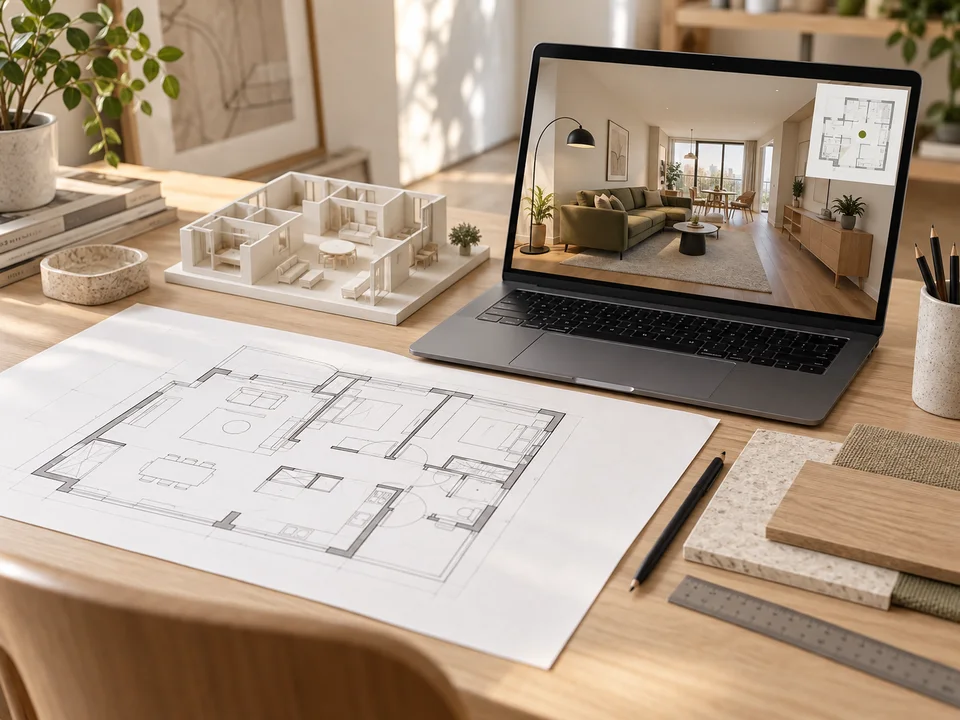
Illustrative interior concept; results depend on your floor plan and assets.
1 / 2Floor plan to interactive interior
Build a measured interior in Blender, walk through it in Unreal, and keep a live floor plan and furniture layout in sync.
Paste it into Claude Code, Codex, Cursor or any agent. No account needed.
View prompt
Use the Benchy skill "Floor plan to interactive interior". 1. Read https://benchy.world/skills/house-walkthrough/files?path=SKILL.md and follow it. If you support skills, save it as one. 2. Save https://benchy.world/skills/house-walkthrough/files?path=BENCHY.md as BENCHY.md at the root of my project, and keep it current as we work. 3. Then start on this: Use this floor plan and room photos to build an Unreal walkthrough. Prove the living room's scale, doorway collision and live plan marker first, then add movable furniture and a saved layout.
What you’ll need
Use both apps
- Blender
- Unreal Engine


Use compatible app versions and confirm your agent's connections.
- Dimensioned floor plan
Suggested: PDF · PNG · JPG
Include at least one verified measurement.
- Room reference photos
Suggested: JPG · PNG · WebP
Agent skill · Version 1.0.0 · MIT license
Inspired by the Blender and Unreal Engine demonstration from Bad Decisions Studio.
What you can work toward
- Calibrate a floor plan and prove one room before building the rest
- Transfer geometry, materials and doorway collision from Blender to Unreal
- Synchronize a floor-plan marker with the player's position and heading
- Add furniture placement, undo and saved layouts when requested
- Measure frame time and interaction latency on the target device
Skill files
The instructions your agent follows. Review them first: tools, connections and execution depend on your setup.
---
name: house-walkthrough
description: Turn dimensioned floor plans and room references into a Blender interior and Unreal walkthrough with a synchronized plan and optional furniture layout controls. Use for interactive interior design or property visualization.
license: MIT
metadata:
  version: "1.0.0"
  surface: "Blender · Unreal Engine"
---

# Floor plan to interactive interior

Build a measured, walkable interior with a synchronized 2D plan. When furnishing is requested, add product search, insertion, move, rotation, material variants and saved layouts. [Source and scope](#demonstration-and-provenance) distinguish the observed demonstration from this skill's engineering recommendations.

## Establish the brief

Inspect the supplied floor plans, photos, dimensions, existing project, installed Blender/Unreal versions, available app controls, and delivery target. Ask only for inputs that change the result: a missing scale reference, unknown floor arrangement, required catalog/locale, or target device. Preserve the user's existing project conventions and tools.

Record units, origin, floor elevations, one measured calibration distance and its source, uncertain dimensions, target frame time, and target interaction latency. If the source has no reliable measurement, produce an explicitly approximate visualization until a dimension is supplied. With only one measurement, treat scale as provisional until an independent dimension verifies it. Use generated images for mood/material exploration, never as measurement evidence.

Done when the source dimensions and assumptions are distinguishable and the first room and output target are chosen.

## Prove one room end to end

1. Read [Coordinate calibration](#coordinate-calibration-and-geometry-checks) and trace the first room, one doorway and a neighboring space in a small scene manifest. Use stable room/object IDs and explicit units; keep source references beside measurements. Establish one verified coordinate conversion boundary for plan pixels, Blender and Unreal.
2. Build the room shell in Blender with real dimensions, floor, ceiling and door openings. Keep structural pieces separate from movable furniture. Use reusable meshes/materials, simple collision proxies and consistent pivots. Save the editable `.blend` and the generation inputs.
3. Export/import with the installed apps' supported pipeline. Import a known-size reference mesh first; verify dimensions, orientation, normals, material slots and doorway collision before importing the remaining shell. Bake unsupported materials or rebuild their small parameter set in Unreal.
4. Set up walking controls at human scale and a plan marker derived from the actual player position/heading. If furnishing is in scope, add one furniture item and its 2D footprint from the same dimensions; verify insertion, movement, rotation, a material variant when supported, and save/reload.

Use editor Python for asset production and import. Implement interaction in runtime Blueprints/C++ or the project's established runtime system. Before connecting a separate browser plan/catalog or packaging a build, read [Integration choices](#integration-choices).

Done when that room can be walked through and the plan agrees at three non-collinear landmarks. If furnishing is in scope, an edit must appear in both views and survive reopening. Resolve scale, orientation and collision failures here.

## Complete the interior and catalog

Expand from the working room using the same manifest, coordinate mapping and asset templates. Compare floor elevations, room outlines, openings, major furnishings and recognizable material boundaries against the source. Track uncertain or unseen geometry explicitly. Rebuild only affected objects when a measurement changes.

For furnishing, prefer supplied or authorized manufacturer models. Normalize each entry to stable product/variant ID, name, width/depth/height with units, source URL, locale/currency, price or unavailable state, observation date, asset and allowed material variants. Keep immutable catalog records separate from placed instances. An instance stores product/variant ID, position, rotation and supported appearance overrides.

When exact assets are unavailable, use clearly labeled dimensional proxies; distinguish geometric fit from product fidelity. Keep observed catalog prices separate from editable design estimates. Use available official connections or user-supplied product data; do not invent an IKEA API or infer access from the video's claim.

Provide preview-and-place with floor snapping, collision feedback, move/rotate controls, undo, delete, and layout save/load. Preserve product scale by default so furniture fit remains meaningful. Treat custom appearance changes as design variants unless they correspond to a sourced product SKU.

Done when all intended rooms and floor transitions work. If furnishing is in scope, each representative requested furniture type must be placed, manipulated, removed, undone and restored after reopening.

## Measure, refine, deliver

Profile the requested target device and resolution on a repeatable route through the largest/most furnished view. Record median and p95 frame time, memory, draw calls, and edit-to-view latency against the brief. Optimize the measured bottleneck: share geometry/materials, instance repetitions, use appropriate LODs/texture sizes, cache catalog metadata/thumbnails, load models on demand, and keep static plan layers cached. Publish transform changes instead of rebuilding the scene or refetching catalog data on each frame.

Exercise invalid placement, unknown price, missing asset, interrupted catalog access, bridge reconnect if used, and save/reload. Confirm no room can be exited through walls and no intended doorway is blocked. Check the marker, heading and furniture footprint after plan resize/zoom and floor changes.

Deliver the editable Blender scene, Unreal project and requested runnable build, source manifest, catalog snapshot with attribution/uncertainty, saved example layout, controls, and measured results. Test a requested packaged build outside the editor. State exactly which checks ran and which need the user's target environment. A viewport preview is evidence of that preview only.

## Coordinate calibration and geometry checks

Use measured dimensions to control geometry; photographs control appearance and help resolve ambiguities. Record each dimension as measured, inferred or assumed, with its source and tolerance. A perspective photograph alone does not establish an accurate floor plan.

### One calibrated transform

Keep a canonical metric scene manifest. For an orthographic, undistorted plan with pixel coordinates `p = (u, v)`, choose origin `p0`, another point `p1` a known distance `L` meters away, and define that direction as canonical +X:

```text
d = length(p1 - p0)             # pixels; require d > 0
s = L / d                       # meters per pixel; require L > 0
e = (p1 - p0) / d
f = (-e.v, e.u)
q.x =  s * dot(p - p0, e)
q.y = -s * dot(p - p0, f)        # pixel-down becomes canonical-up
q.z = floorElevationMeters
```

The inverse is `p = p0 + (q.x / s) * e - (q.y / s) * f`. Keep display zoom/pan out of this physical transform; invert the display transform before converting pointer coordinates. Check at least one independent dimension and a third non-collinear landmark, including its side of the calibrated axis. Two points cannot detect a mirrored plan or anisotropic distortion.

Calibrate each floor independently unless the source establishes identical scale and alignment. Record its elevation and a shared anchor; one measured wall cannot establish another floor's scale or height.

For a stretched/scanned plan, rectify it or fit `q.xy = A * p + b` from at least three non-collinear correspondences with known metric positions. Validate on additional independent dimensions. Solve the inverse only when `A` is nonsingular. Mark uncertainty when the supplied references cannot constrain the fit; avoid hiding contradictory dimensions with an arbitrary scale.

### Blender and Unreal boundary

An uncomplicated convention is Blender `q` in meters, +Z up, with the metric manifest as its source. A deliberate Unreal mapping can be `(X,Y,Z) = 100 * (q.x,-q.y,q.z)` in centimeters. This example reflects Y to account for handedness; an existing project may use another verified mapping. Record the actual conversion matrix `T` and its inverse, and use them everywhere.

Exporters/importers may already perform unit/axis conversion. Apply each conversion once. Export a 1 m reference object plus labeled +X/+Y/+Z markers; after import verify the expected 100 cm length and axis directions. Determine `T` from the measured result if using existing import settings. Do not correct a bad import with arbitrary per-object scale multipliers.

Transform the player's forward vector as a direction through `inverse(T)`, project it to canonical XY, then through the linear part of the inverse plan transform to obtain the 2D heading. Direction vectors use no translation (neither the origin nor the affine offset). This avoids a hardcoded yaw sign/90-degree offset that only works for one floor orientation. Apply the active floor's elevation/plan mapping and separate display transform.

### Geometry gate

- Set a tolerance appropriate to source quality and use it for room lengths, diagonal and ceiling/floor heights. Report observed errors; a tolerance is not evidence of accuracy.
- Apply/verify mesh transforms, normals and floor contacts; preserve movable furniture's logical pivot and physical dimensions.
- Separate walls, floors, ceilings and movable objects. Keep convex collision pieces around door openings, not a single hull enclosing a whole room.
- Set player eye height, capsule radius/height, step and slope limits intentionally; test every intended doorway and stair/floor transition with that capsule.
- Check the imported reference scale, three landmarks, one door opening, furniture footprint orientation and floor contact before expanding the building.

Epic references: [units](https://dev.epicgames.com/documentation/unreal-engine/units-of-measurement-in-unreal-engine?lang=en-US), [coordinate system](https://dev.epicgames.com/documentation/en-us/unreal-engine/coordinate-system-and-spaces-in-unreal-engine), [static meshes and collision](https://dev.epicgames.com/documentation/unreal-engine/fbx-static-mesh-pipeline-in-unreal-engine?lang=en-US). The formulas above are this skill's proposed convention, not a recovered detail from the demonstration.

## Integration choices

Read this when the plan/catalog is a separate browser application or when packaged delivery is required. These are proposed engineering choices; the source video does not disclose its protocol or source code.

### Choose the smallest interaction surface

For a self-contained runnable walkthrough, prefer the existing Unreal runtime UI architecture. A UMG plan/catalog avoids a second application and network bridge when the user does not need a browser.

For a browser companion like the clip, inspect the existing connection before adding one. Epic's Remote Control offers HTTP/WebSocket access for exposed functions/properties and is useful for an editor demonstration. Keep development access local unless remote access is part of the brief. Its default editor behavior is not proof that a packaged application works: packaged Remote Control is disabled by default and must be configured and tested deliberately.

Use an explicit command/acknowledgement contract with stable instance ID, request ID and scene revision. The runtime owns accepted object transforms; the browser renders acknowledged state and can show a temporary placement preview. After reconnect, request a snapshot before applying new edits. Coalesce movement/pose updates and refresh only changed objects; cache catalog searches and static plan layers. The final move/rotate event must carry the committed transform even when intermediate drag events are dropped.

### Production and runtime boundary

Blender/Python and Unreal editor Python can generate/import assets and construct the scene. Unreal's Python environment is editor-only, including its restriction during Play In Editor; runtime commands, player movement, selection, placement, material changes and saving need runtime Blueprints/C++ or another verified runtime integration.

For the initial transfer, use whichever supported format preserves this project's needed data and passes a one-room import test. FBX supports static meshes, UVs, LODs and named collision proxies, but procedural Blender shaders do not automatically become equivalent Unreal materials. Check all required texture maps and material variants after import. Doorways need collision shapes that preserve their opening; a single convex hull around an entire room is unsuitable.

### Sources

- [Unreal units](https://dev.epicgames.com/documentation/unreal-engine/units-of-measurement-in-unreal-engine?lang=en-US)
- [Unreal coordinates](https://dev.epicgames.com/documentation/en-us/unreal-engine/coordinate-system-and-spaces-in-unreal-engine)
- [Static mesh import](https://dev.epicgames.com/documentation/unreal-engine/fbx-static-mesh-pipeline-in-unreal-engine?lang=en-US)
- [Editor Python and its runtime limits](https://dev.epicgames.com/documentation/en-us/unreal-engine/scripting-the-unreal-editor-using-python)
- [Remote Control and packaged defaults](https://dev.epicgames.com/documentation/en-us/unreal-engine/remote-control-for-unreal-engine)
- [Event-driven UMG updates](https://dev.epicgames.com/documentation/en-us/unreal-engine/optimization-guidelines-for-umg-in-unreal-engine)
- [Runtime save/load](https://dev.epicgames.com/documentation/en-us/unreal-engine/saving-and-loading-your-game-in-unreal-engine)

Checked 2026-10-12; Epic pages identified themselves as Unreal 5.8. Resolve version-sensitive APIs against the installed project.

## Demonstration and provenance

Inspired by Bad Decisions Studio's short **GPT-6 Astra + Blender + Unreal Engine 🤯**: listing and floor plan → Blender reconstruction → Unreal walkthrough with a live plan marker and furniture changes. The creator's [related full episode, house chapter at 22:26](https://www.youtube.com/watch?v=dnqlClsPD4g&t=1346s) describes dimensioned plans, reference photographs and iteration; it acknowledges imperfect measurements/design.

The demonstration does not disclose its export settings, bridge, catalog API, asset licenses, accuracy or performance. The calibration formulas, stage gates and runtime architecture here are Benchy's engineering recommendations, not the creator's code or private prompts. Manufacturer assets and data keep their own terms. The accompanying library cover is an AI-generated illustration, not a screenshot of a delivered project.

Checked 2026-10-12 against the linked primary documentation. Inspect installed versions before applying version-sensitive instructions.